Automate your stream with every sub, raid, and redeem
Turn viewer interactions into automatic scene switches, TTS, giveaways, and OBS actions. No code, no bots to configure, set up in minutes.
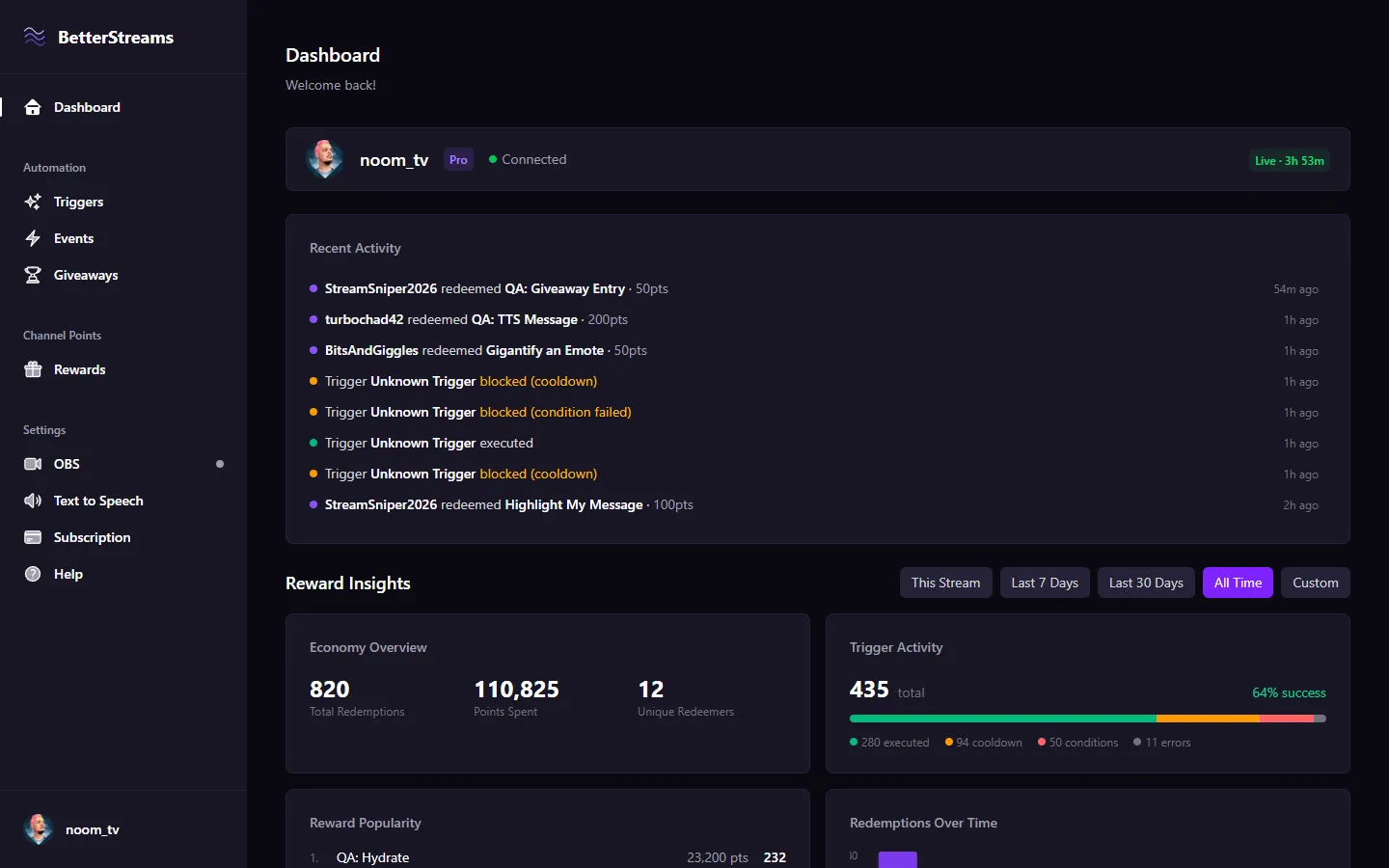
Set up once, let your stream react on its own.
Pick your triggers, add conditions, and BetterStreams does the rest. No code, no complexity.
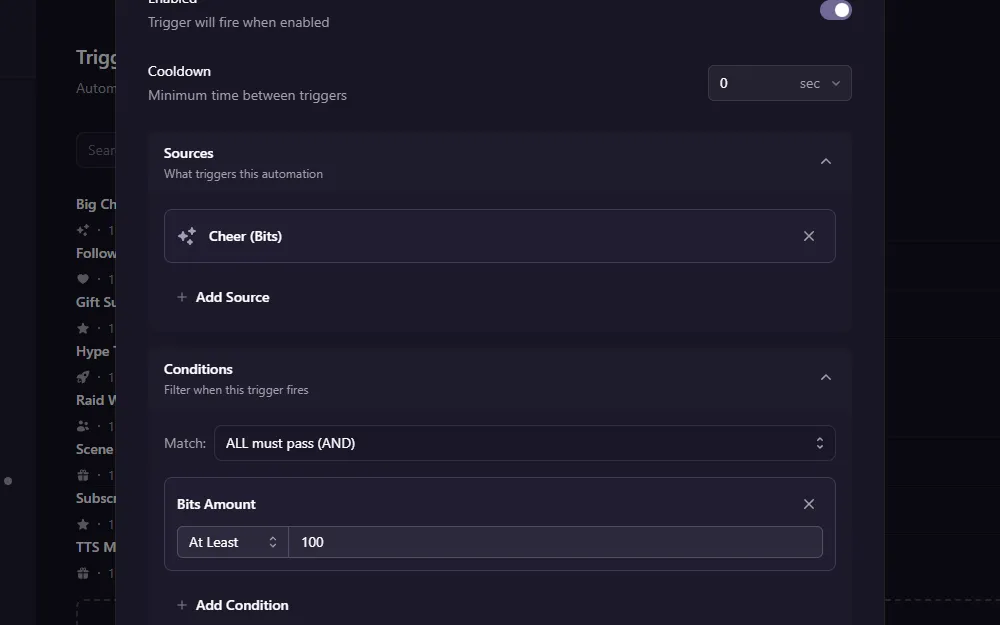
Smart Triggers
React to subs, raids, cheers, redeems, chat messages, OBS changes, and more. Add conditions, set cooldowns, and chain multiple actions from your dashboard.
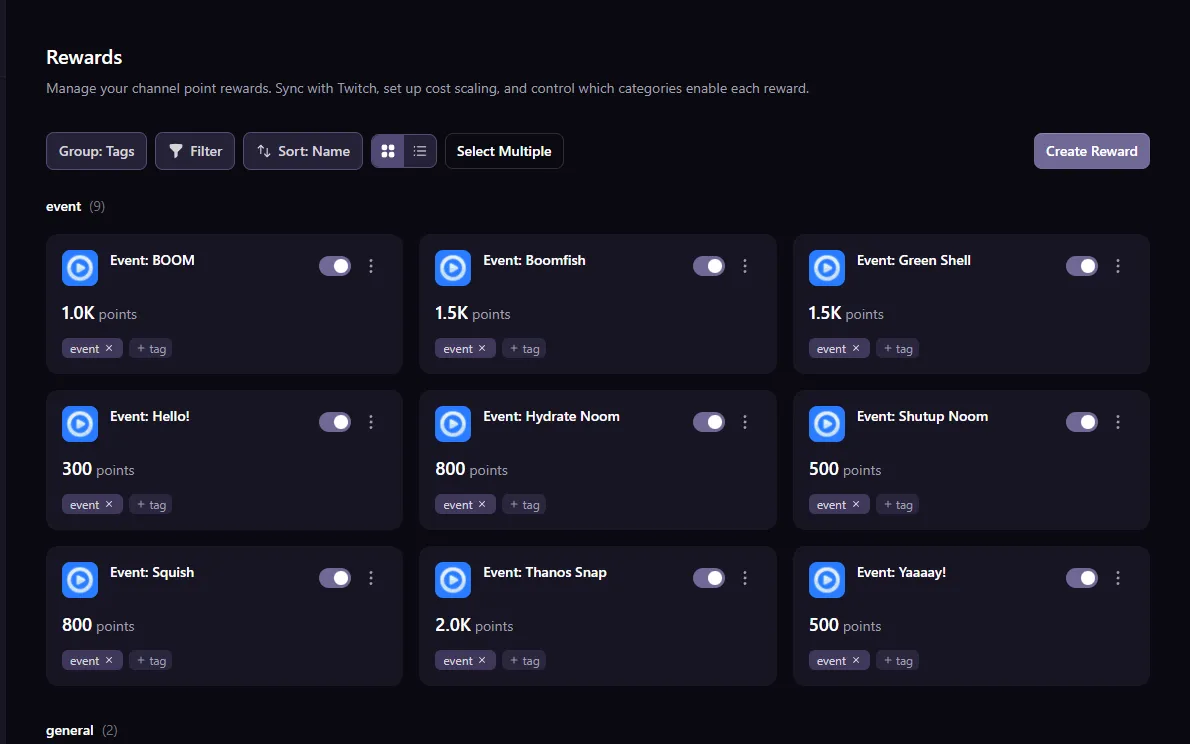
Reward Management
Sync your Twitch rewards and auto-toggle them when you swap games. Tag rewards to filter, sort, and bulk toggle them. Auto-scale costs so viewers don't sit on huge piles of points.
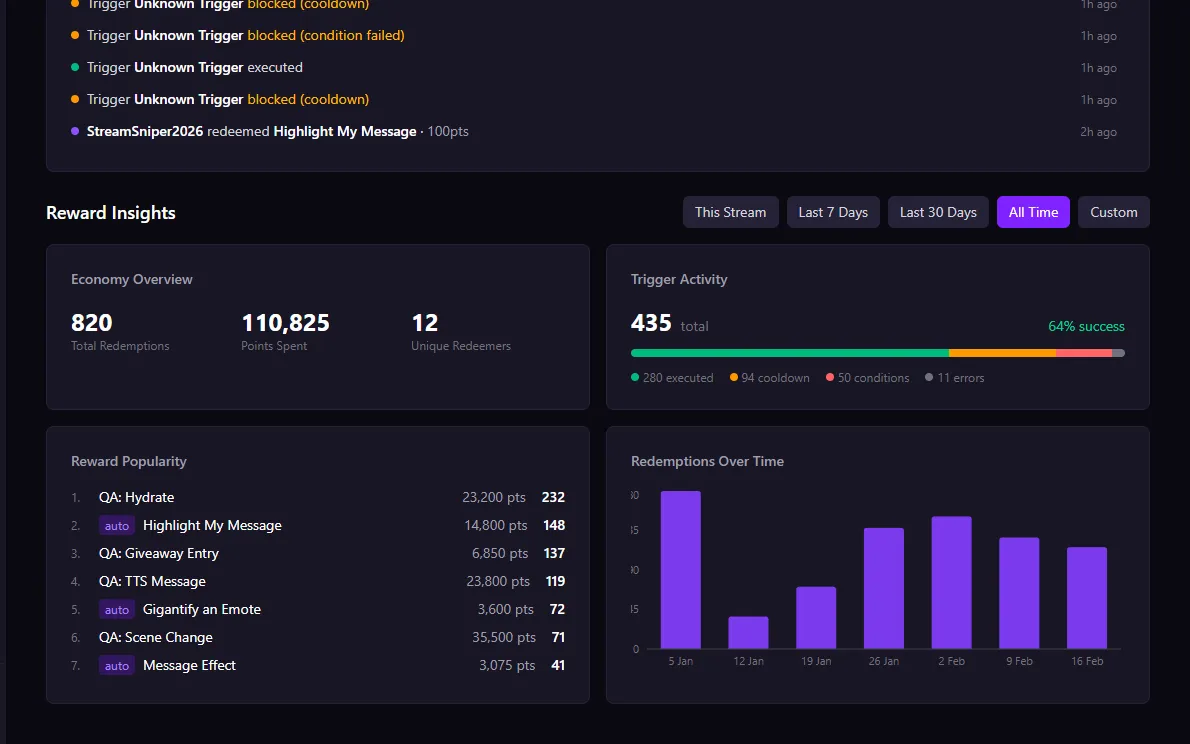
Reward Insights
Twitch doesn't tell you which rewards your viewers actually use. BetterStreams tracks every redemption: most popular rewards, total points spent, and engagement trends over time. Stop pricing by gut feeling.
All the power, none of the scripting.
Flexible Conditions
Your triggers only fire when they should. Filter by stream category, time of day, subscriber status, viewer count, OBS scene, and more.
OBS Integration
Switch scenes, toggle sources, and change settings automatically. No more alt-tabbing out of your game.
Text-to-Speech
Let viewers speak through your stream with channel point redeems. Pick a voice, set the pitch, speed, and max message length.
Giveaways
No more picking names from chat or tabbing out to random.org. Five entry sources, eligibility rules, winner selection, all built in.
Overlay Alerts
Show alerts and giveaway widgets on stream. Pick a position, choose an animation, and style it to match your brand.
Custom Bot
Send chat messages as your own bot account instead of the default BetterStreams bot. Or send as yourself.
Your triggers, on your channel page.
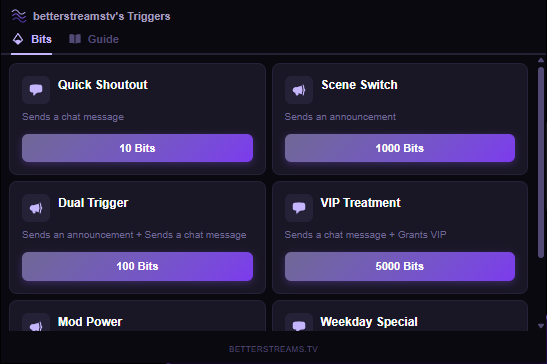
Viewers browse your triggers and activate them with Bits, right from your stream.
No guessing about chat commands or point costs. The channel guide shows everything you've set up, and the Bits menu lets viewers pick exactly what they want to trigger.
Simple pricing that grows with your stream.
No credit card required. Cancel anytime.
Free
$0/forever
Get started with stream automation for free.
Up to 3 triggers
All trigger types (subs, raids, cheers, redeems, and more)
All conditions and actions
OBS integration and TTS
Twitch Extension (Bits triggers + channel guide)
Basic giveaways
Reward management
Reward insights and redemption history
Pro
$79.99/yr
$6.67/mo — save 26%
For streamers who want to automate without limits.
Everything in Free
Unlimited triggers and actions
Run actions simultaneously, randomly, or by rarity
Auto-toggle rewards by category and auto-scale costs
Multi-source giveaways, cooldowns, and sub multipliers
Giveaway history and re-picks
Questions & Answers
How does BetterStreams work?
BetterStreams connects to your Twitch account and listens for events like subs, raids, cheers, and channel point redeems. When an event matches your trigger conditions, it runs your actions automatically, like switching OBS scenes, playing TTS, or starting a giveaway.
What triggers are supported?
BetterStreams reacts to channel point redeems, subs, gift subs, raids, cheers, follows, chat messages, hype trains, OBS scene changes, giveaway events, and Bits purchases through the Twitch Extension. Each trigger can be filtered with conditions like stream category, time of day, subscriber status, or OBS scene.
What is the Twitch Extension?
The BetterStreams extension adds a panel to your Twitch channel page. Viewers can browse all your triggers in the Guide tab, and activate specific ones with Bits in the Bits tab. Install it from the Twitch Extensions manager and connect it to your dashboard.
Can I see which rewards are popular?
Yes. The dashboard tracks every channel point redemption automatically: most popular rewards, total points spent, unique redeemers, and trends over time. Twitch doesn't surface this data, so BetterStreams logs it for you.
Is BetterStreams free?
Yes! The free tier includes up to 3 triggers with access to all trigger types, all conditions, and all actions including TTS and OBS control. Pro starts at $8.99/mo (or save with $79.99/yr) and unlocks unlimited triggers, advanced giveaway settings, reward cost scaling, and more execution modes.
Do I get a free trial?
Every new account gets a 14-day free trial of Pro. All Pro features are unlocked from day one, no credit card required. After the trial, you can upgrade or stay on the free tier.
Does it work with OBS?
Absolutely. BetterStreams connects directly to OBS via WebSocket. You can switch scenes, toggle sources, and change filters, all triggered by viewer interactions.
How do I get started?
Sign in with your Twitch account, connect OBS, and create your first trigger. The whole setup takes less than five minutes. No code, no scripts, no bots to configure.
What happens if I cancel Pro?
Your triggers and settings stay exactly where they are. If you go over the free tier limits, extra triggers are disabled but never deleted. You can re-enable them anytime by upgrading again.
Stop toggling rewards manually.
Set up your triggers, connect OBS, and let BetterStreams handle the rest. Free 14-day Pro trial, no credit card needed.