Your viewers can switch your OBS scene.
Channel points let chat reach across the void of the internet and into your room. You wire the reward up once, and after that they're the ones deciding what's on screen.
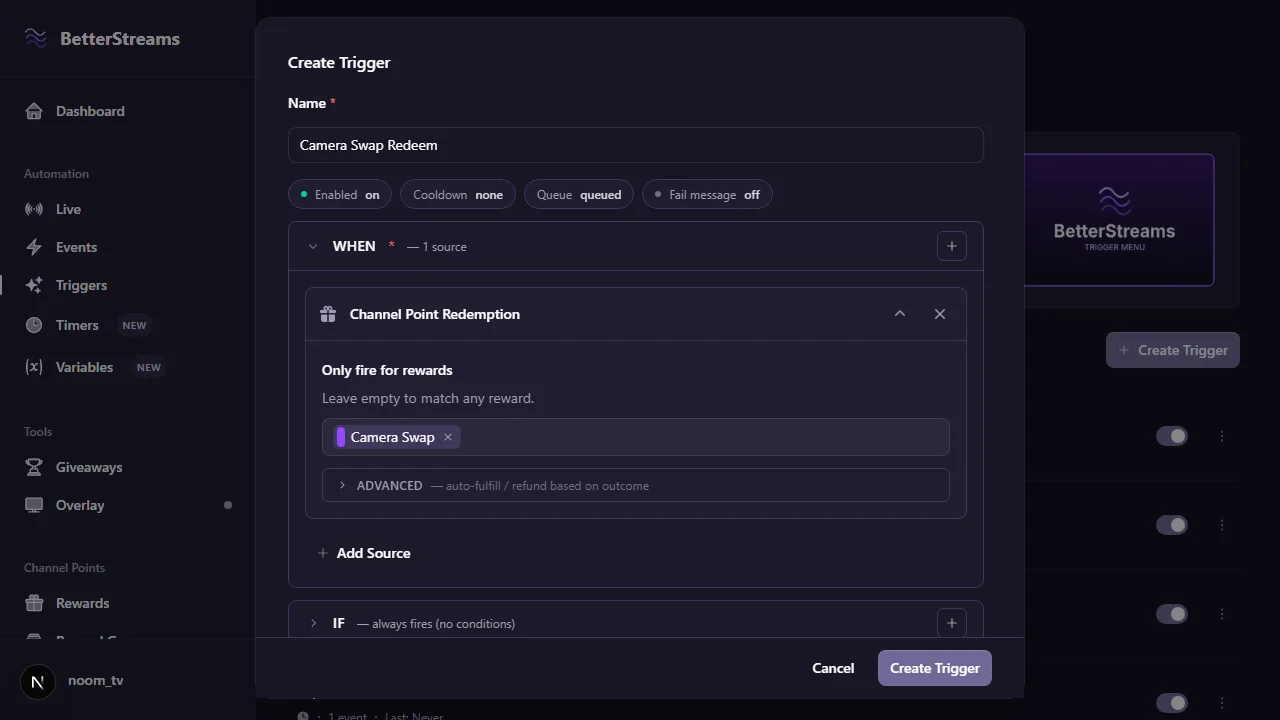
Switching scenes is the thing people ask for first, so start there. Make a channel point reward, point it at a scene you’ve already built, and the next viewer who spends their points moves you. There’s no plugin, and there’s nothing to download. OBS has a WebSocket server built into it already, and BetterStreams talks to it through the overlay you’ve already got in your scene. Windows or Mac, it works the same.
What keeps it fun once the novelty wears off is that something real happens. A viewer spends points, and everyone watching sees it land in the same second. That’s a bit of control that normally only the streamer has.
One thing has to be true while it’s running: OBS open, with its WebSocket server switched on and the BetterStreams overlay added as a browser source. After that you can close everything else.
OBS can set things off as well as receive them. Switching scenes, going live and hitting record are all things an automation can wait for, so the reward that only makes sense during your intro doesn’t have to be switched on by hand. You can also require that a particular scene is up before a redeem does anything, which is how you keep the airhorn off your BRB screen.
Three redeems worth building first.
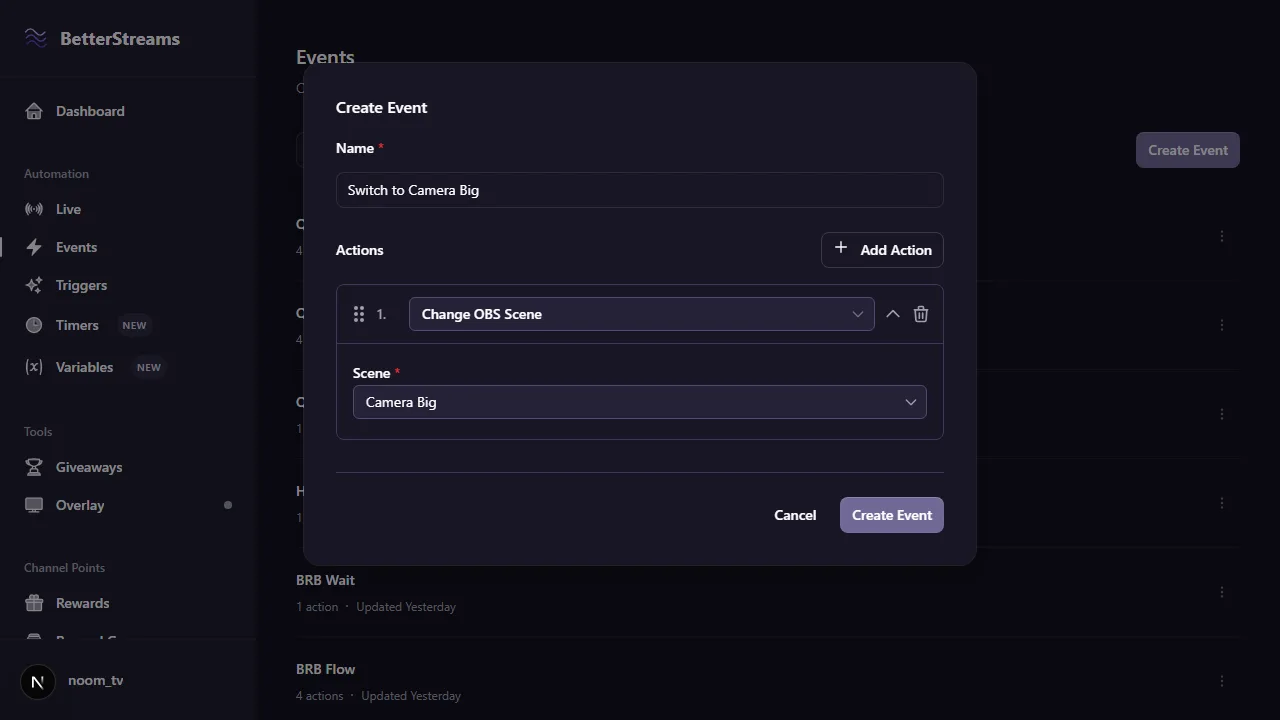
Viewers pick how big your camera is
Build the same stream two or three ways. Camera small in the corner so chat can read your Balatro jokers, camera big enough to see your face when it's all gone wrong. Give each layout its own reward and let chat decide which one you're on. Whoever redeems last wins.
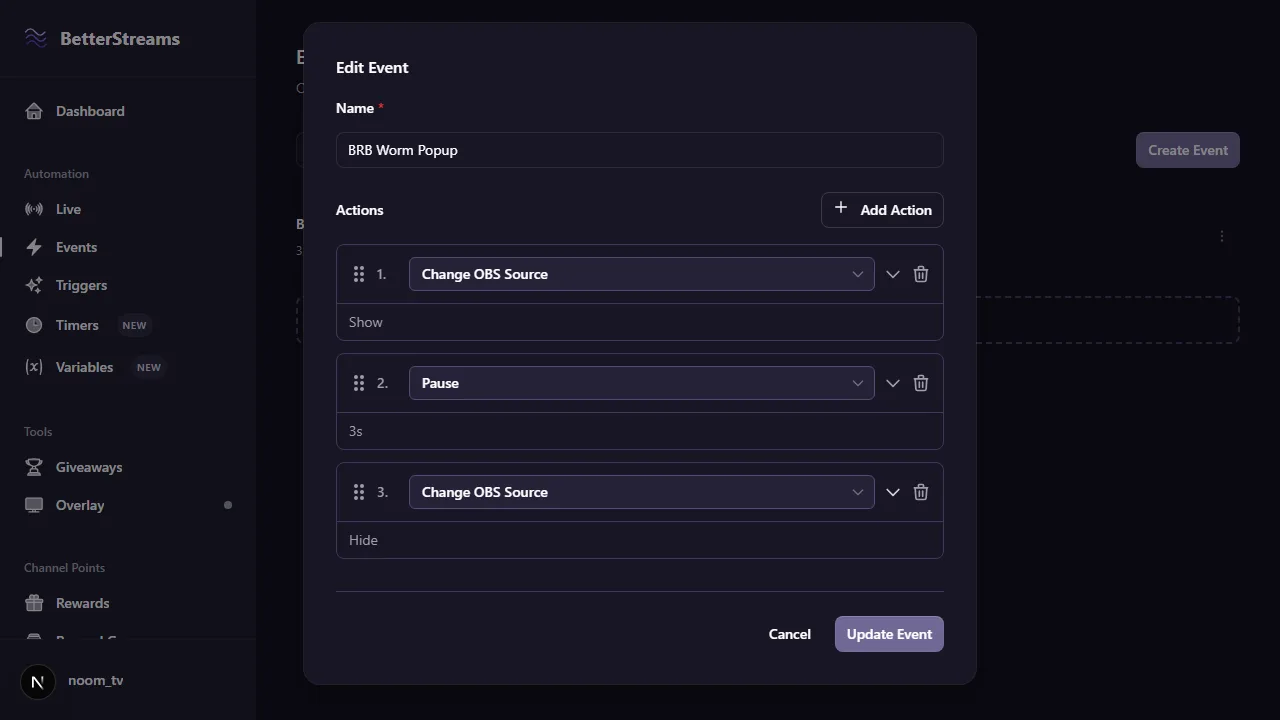
A worm swings across your screen and says hello
Mine, years ago: one of the little worms from Worms, grappling hook and all, with the noise they make and the hello in that funny voice. It's three actions in a row. Show the source, pause, hide the source, with the video set to play as soon as it appears. Set the pause too short and the poor worm doesn't land.
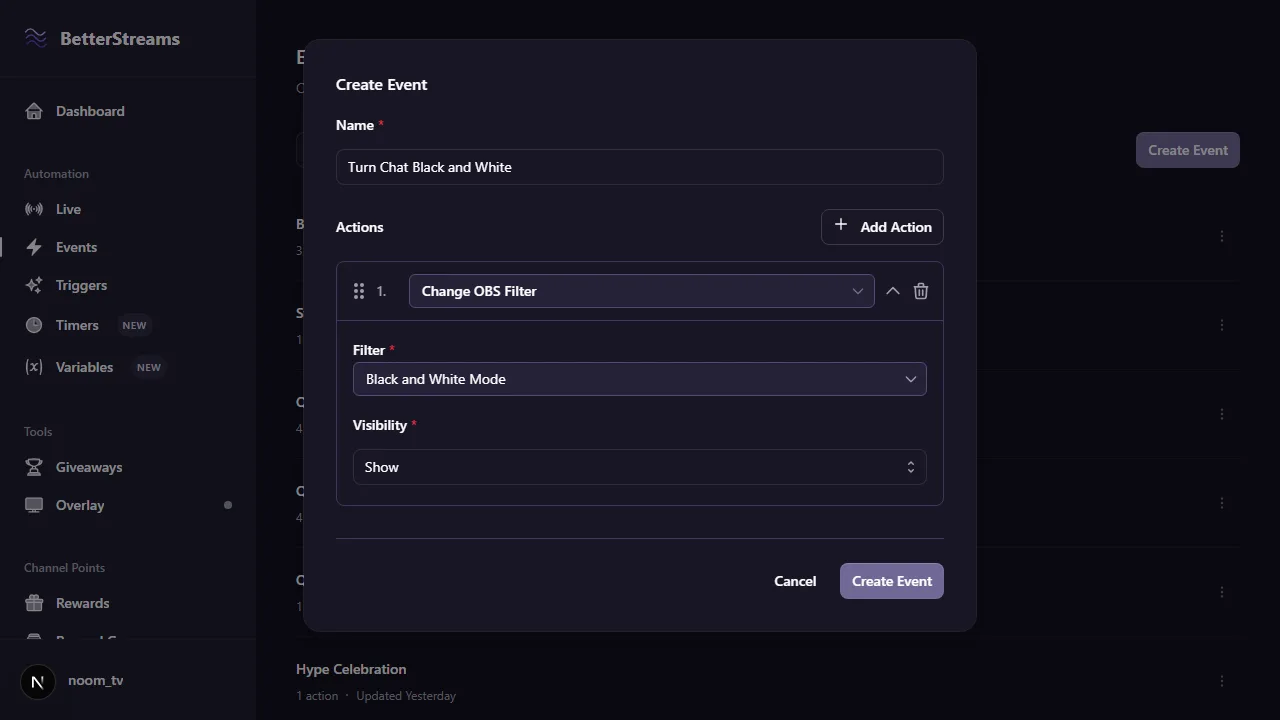
Chat can turn your stream black and white
A filter on your camera or your game capture, named for what it looks like instead of what it is. Black and white mode. Vintage mode. Matrix mode. One reward each, and your colours are chat's problem now. Add a second reward to put them back, if you don't fancy being sepia all night.
Controlling OBS is on the free plan.
Free
- Switch scenes, play a clip over your face, recolour the whole stream, swap one overlay for another, and jump back to where you started
- OBS as a starting point too: scene changes, going live, starting or stopping a recording
- Only run when a particular scene is up, or only when it isn't
- Up to three actions in one event, enough for show, pause, hide
- One event per automation, however it gets set off
Pro
- More than three actions in one event, for longer sequences
- Several events on one automation, with a fallback for when the first one can't run
- Five more ways to run them: all at once, one at random, one at random but weighted, all of them shuffled, or the next one in the list each time it fires
Questions & Answers
Can a channel point redeem switch my OBS scene?
Yes. Make a reward, add a Change OBS Scene action, and pick the scene. Anyone who redeems it moves you, and there's a separate action for jumping back to whichever scene you started on.
Do I need an OBS plugin?
No. OBS has a WebSocket server built into it. Turn it on under Tools, WebSocket Server Settings, and BetterStreams connects to it through the overlay browser source you add to your scene. There's nothing to download.
Does this work on a Mac?
Yes. There's nothing to install on your machine, so your operating system doesn't come into it.
Does OBS have to be open?
Yes, with its WebSocket server enabled, and the BetterStreams overlay added as a browser source in your scene. That's what carries the instructions to OBS. You don't need to leave a dashboard open.
Can a redeem play a video clip over my stream?
Yes. Show the source the clip sits on, pause for as long as the clip runs, then hide it again. Set the video to play when it becomes visible.
Can OBS set off an automation by itself?
Yes. A scene change, going live, and starting a recording are all trigger sources, so a redeem doesn't have to be the starting point. Switching to your intro scene can be what sets the whole thing running.
Guides that go deeper.
Automate Without Code: 4 Stream Automations Worth Building First (and the One Beginners Waste a Weekend On)
Most streamers who try to automate something bounce off the tools. The fix is picking a smaller first project. Four starter automations that ship fast and save attention every stream.
March 7, 2026What You Can Automate on Your Stream (and How to Get Started)
Stream automation handles the mechanical parts of streaming so you can focus on chat. Learn what you can automate, which tools exist, and where to start.
March 20, 2026How Many Streaming Apps Do You Actually Need?
Every Twitch streamer ends up running 3-5 apps that don't talk to each other. Here's what each layer of your stream actually needs, which tools cover it, what they cost, and where the overlaps are.
Give your chat something to spend points on.
Sign in with Twitch, connect OBS, and point your first reward at a scene. It's all on the free plan.