A menu of everything your channel can do, right beside the stream
For streamers whose best automations nobody has found yet. The extension reads your triggers and builds the guide itself, in the player and in your panels.
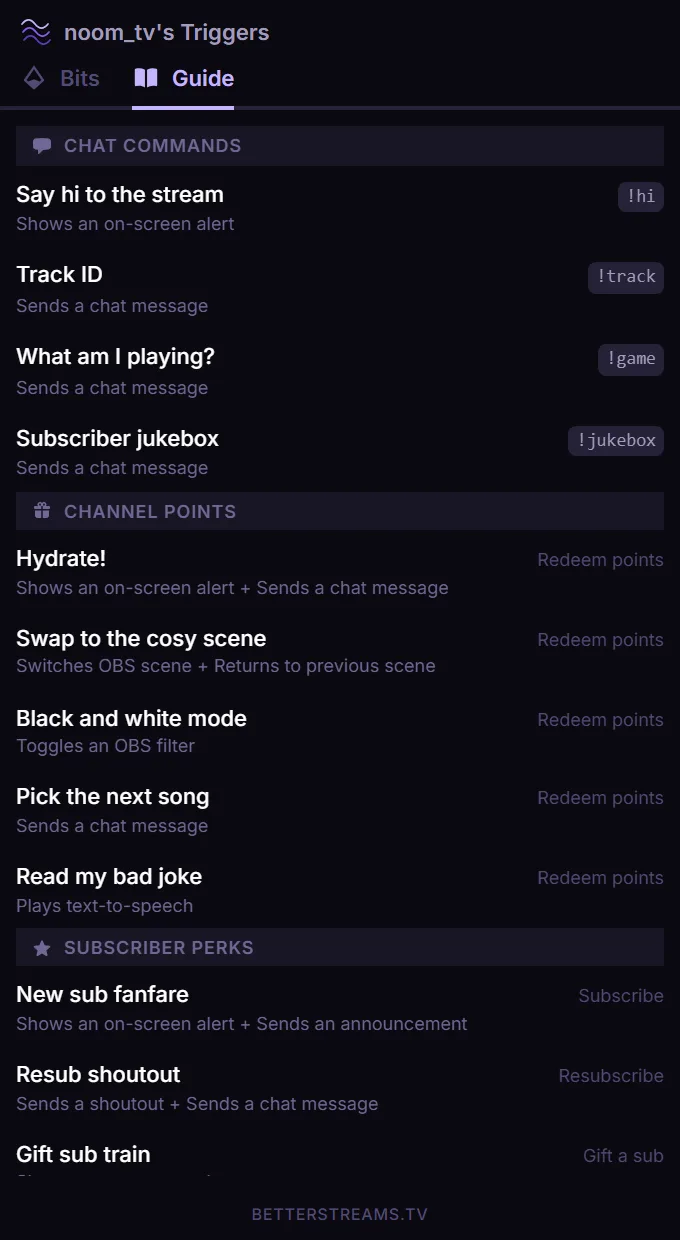
It works like a menu in a restaurant. You read what’s on offer, you know exactly what each thing does, and you pick whatever sounds good.
A viewer spots the buttons at the side of the player and opens them out of curiosity. What they get is the list of things they can do in your channel. Some of it’s free. Some of it costs channel points. Some of it happens if they type a command, and some of it happens if they subscribe at tier two. Twitch already shows them the channel points menu, and for most channels that’s where a viewer’s knowledge of the place stops. Everything else you’ve built has never had anywhere to live on the page. A viewer who can see a tier two perk sitting in the list has something to aim at.
The moment that makes the case for it happens mid stream. Something goes off, chat asks what did that, and rather than typing out an explanation or telling everyone to run !commands, you point at the bottom of your screen and say check out the guide. They look down and find the whole list without leaving the tab. Some of them will read it top to bottom before they touch anything.
After the install there’s no work in it. You don’t add things to the guide and you don’t put them in order. A trigger you make on a Tuesday afternoon is sitting in there before you go live, under a heading a viewer already understands, with a label on it if it runs on its own.
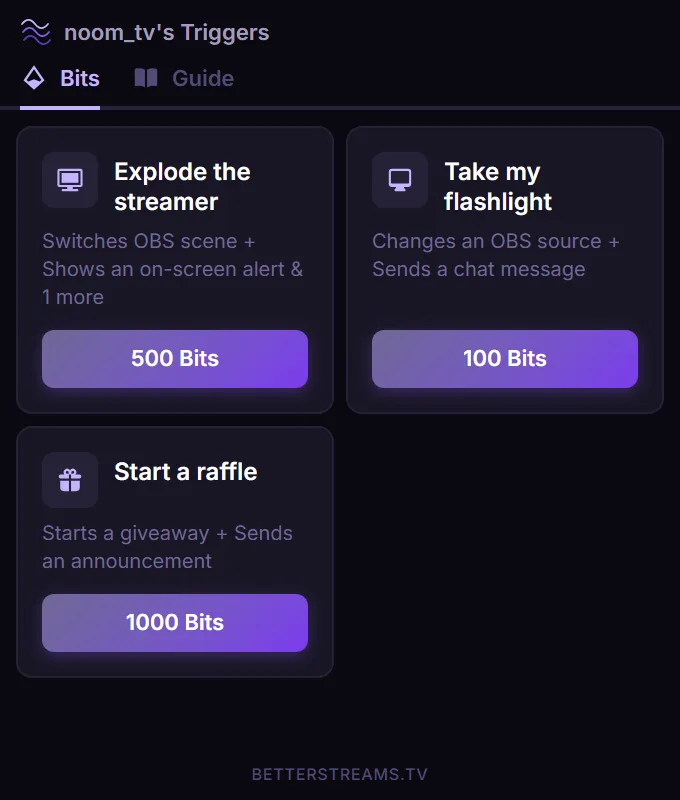
The one deliberate move is creating a trigger with Bits as its source. That puts it in the Bits tab with its amount on it, and gives your community a direct way to use Bits on one specific thing in your channel, with a description of what they’re about to set off in front of them while they decide.
What the extension is for
You built all this and nobody knows it's there
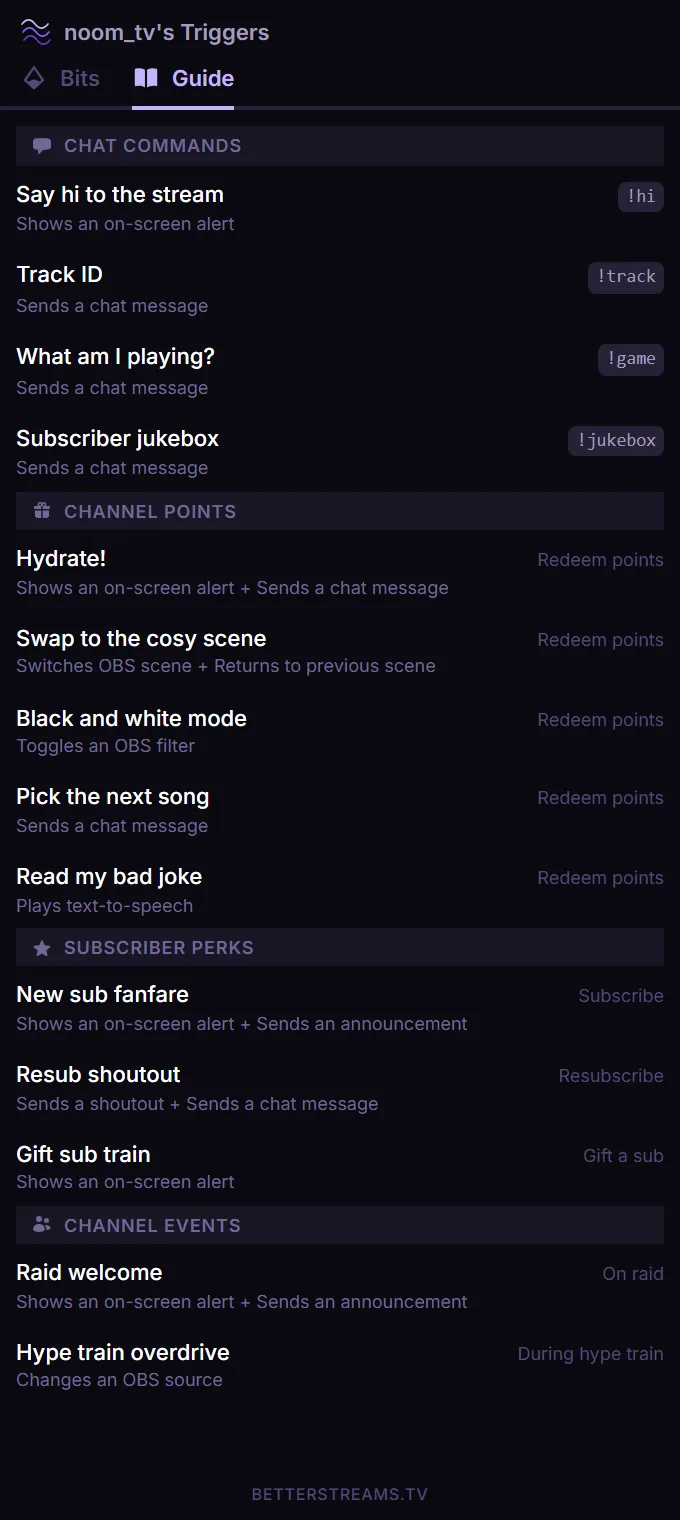
Channel points at least have a menu of their own on Twitch. Everything else you have made stays invisible until somebody says it out loud in chat, and a perk that fires on a tier two sub can sit there for months without a single viewer finding out it exists. The guide lists every trigger on your channel under a heading that names how it gets set off, with a timing label on the ones that run on their own. You don't write the list and you don't maintain it. It reads your dashboard.
The alternatives ask far too much of a viewer
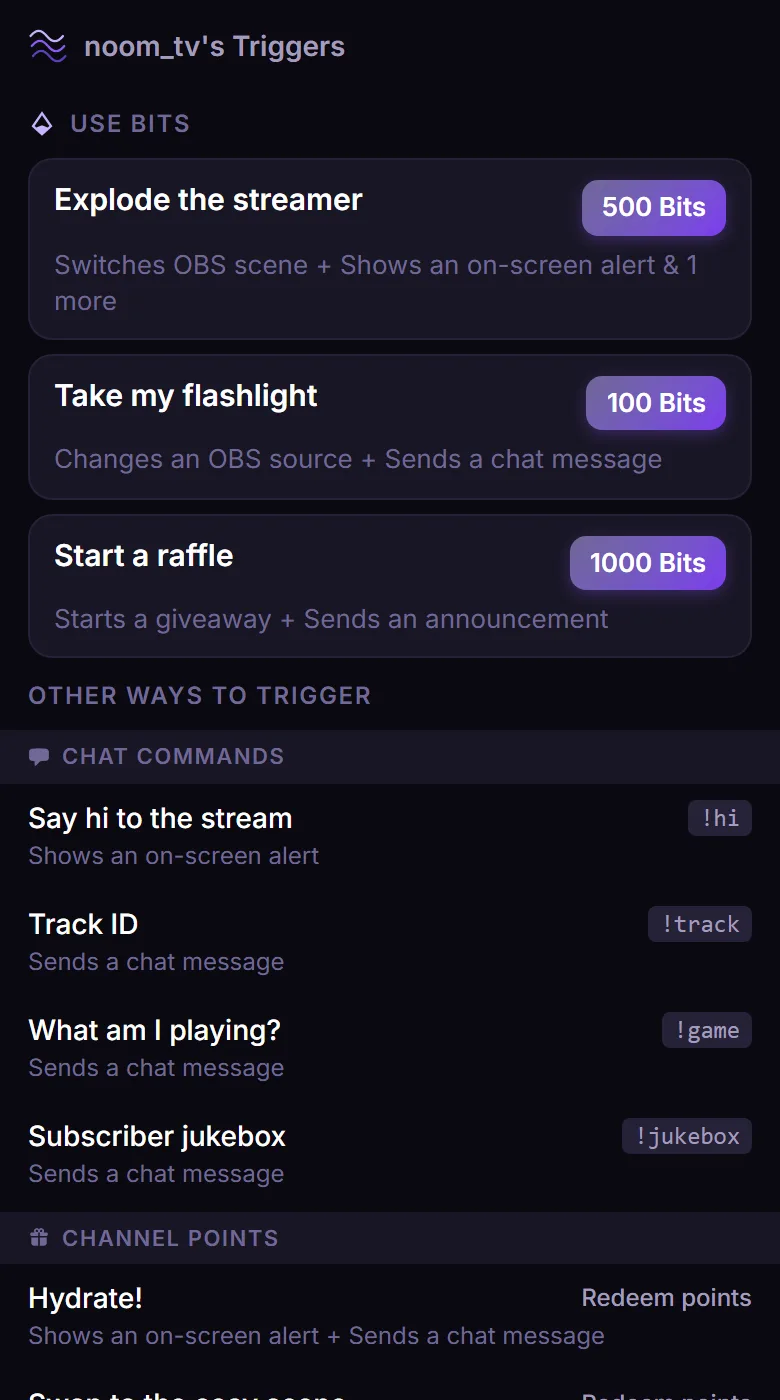
Chatbots have had a !commands reply for years. It prints chat commands and nothing else, in one dump, with no room to say what any of them actually do. The other option is a page on your own site that generates itself, which means asking somebody who turned up to watch a stream to open a link from a channel they found ten minutes ago. Plenty of people won't, and they're right not to. Sitting inside the channel page skips the question entirely. Everything is one tap away from the stream they're already watching, and nobody has to trust a link.
Because it lives inside Twitch, Bits work natively
Make a trigger with Bits as its source and it turns up in the extension's Bits tab with its amount attached. A viewer picks the one they want and it fires. That's Bits used on one specific thing in your channel, directly inside Twitch, not a side effect of cheering in chat. Each Bits trigger carries its own cooldown and the viewer can see the clock on it, so nobody uses Bits on something that went off thirty seconds ago. They get to read exactly what will happen before they choose it. Nobody uses Bits on a mystery. What you get out of it is another way for your community to take part in what you've built, and whether they take it is theirs to decide.
There's no paid tier. The whole extension is free, permanently
Everything, on every plan
- The whole guide, built from the triggers already in your dashboard
- Both slots, buttons beside the stream and a persistent panel below it
- Bits triggers, with the amount and the cooldown shown to the viewer
- Anything that doesn't apply right now drops out of the list on its own
- Timing labels on anything that fires on its own
Questions & Answers
Do I have to add my triggers to the guide?
No. The guide reads your dashboard and lists what it finds, grouped by source. There's nothing to add and nothing to keep in sync. A trigger you create this afternoon is in the guide without you touching the extension.
Where does the guide appear on my channel?
Two places, and you can use both. The component slot puts buttons over the side of the video player that stay visible while you're streaming and open the guide when a viewer clicks. The panel slot puts the full guide down in the panel area under the stream, where it sits whether you're live or not.
Can I choose the order things appear in?
No, and there's nothing to set. Everything is grouped by source, so a viewer finds things by how they'd set them off. You can't get the ordering wrong because you never touch it.
Will viewers see things that aren't available?
The guide hides anything that doesn't apply at that moment. A trigger you've limited to one game, or to a window of the evening, drops out of the list when it isn't the game or the time. What it deliberately keeps is anything gated on who the viewer is. A subscriber perk shows up for everyone, because a viewer who can see it has something to aim at, and hiding it would mean the people most likely to want it never learn it's there.
Do I need Pro for the Bits integration?
No, and there's no Pro version of the extension. The guide, both slots, and Bits triggers are all free on every plan, permanently. Nothing in it is held back.
What does a viewer see before they use Bits?
The amount you set, sitting on the item itself, alongside what the trigger does. If it's on cooldown they see that too. Nobody has to guess at what will happen.
How do I install it?
Connect your Twitch account to BetterStreams, then add the BetterStreams extension from the Twitch Extensions directory and activate it in either slot, or both. It picks up your triggers from there.
Guides that go deeper.
Why Most Channel Point Redeems Get Ignored
Most channel point redeems sit at zero. The fix isn't more ideas. Diagnose why specific redeems die, redesign them with four principles, and make them discoverable to viewers.
July 19, 2026Every Channel Point Reward Fits One of Three Buckets
Most channel point advice is a pile of ideas. This is a sorting system instead. Three reward buckets, how many to start with, and a two-week test for whether a redeem is actually working.
July 4, 2026Twitch Gave Every Streamer Channel Points. Now What?
Twitch just gave every streamer channel points, no Affiliate required. What changed, the payout catch the community flagged, and a sane day-one setup.
Get the guide onto your channel
Connect with Twitch, add the extension, and everything you've already built turns up in it.