Twitch gives you rewards. It doesn't give you anywhere to run them.
Search, tag and bulk toggle your whole reward list from one screen. Built for variety streamers whose reward list outgrew Twitch's menus years ago.
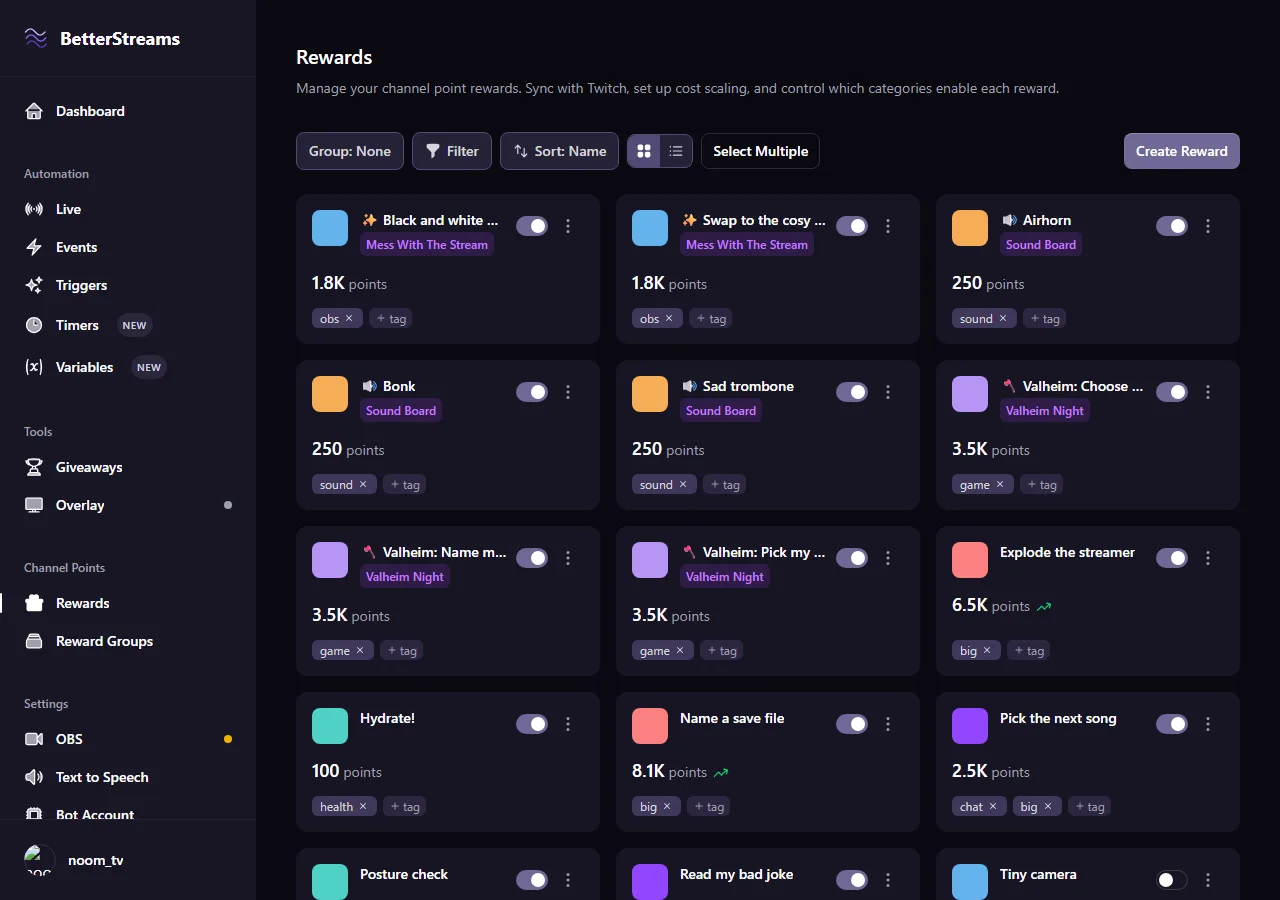
Your viewers earn channel points the entire time you’re live, and they don’t stop earning when the stream goes quiet. A regular who’s been watching since your first month can be sitting on fifteen thousand of them, asking what they’re supposed to spend it all on. The reward you priced at five thousand back in January hasn’t moved. Same number on the button, a fraction of what it used to cost anybody. That drift happens to every reward you own, every stream, and nothing on Twitch tells you it happened.
Cost scaling hands the price back to you and you don’t have to be at the keyboard for it. Usage-based scaling raises the cost every time somebody redeems, linear or exponential, up to a ceiling you set. Time-based scaling raises it per hour, day, week or month whether anyone touches it or not. Both can run on the same reward at once. Resets fire at the start of each stream, or on an hourly or daily clock in your own timezone, so Tuesday night starts wherever you decided it should start.
Reward groups are for the rewards that belong together. Put your six Valheim rewards in one group and they take the group’s cost, cooldown, colour and caps, plus a prefix on every title so chat can tell at a glance what they are. Attach a condition and the whole group appears when you launch Valheim and goes away when you close it. Same for an OBS scene. A reward keeps its own settings while it’s in there, saved off to one side and handed straight back the moment you pull it out.
Most of the day-to-day isn’t either of those though. Most of it is the list, and the list is free. Every reward you’ve made is in there and you can search it. Tag rewards by type and sort the whole list by those tags, which costs nothing and always will. Tick fifteen rows and turn them all off in one go before you go live. Doing that by hand is free forever. Pro is what it takes to have it happen without you.
The biggest reward list we’ve synced so far has fifty-nine rewards on it. Whoever that is, we think about them every time we touch this screen.
Three tools for one reward list
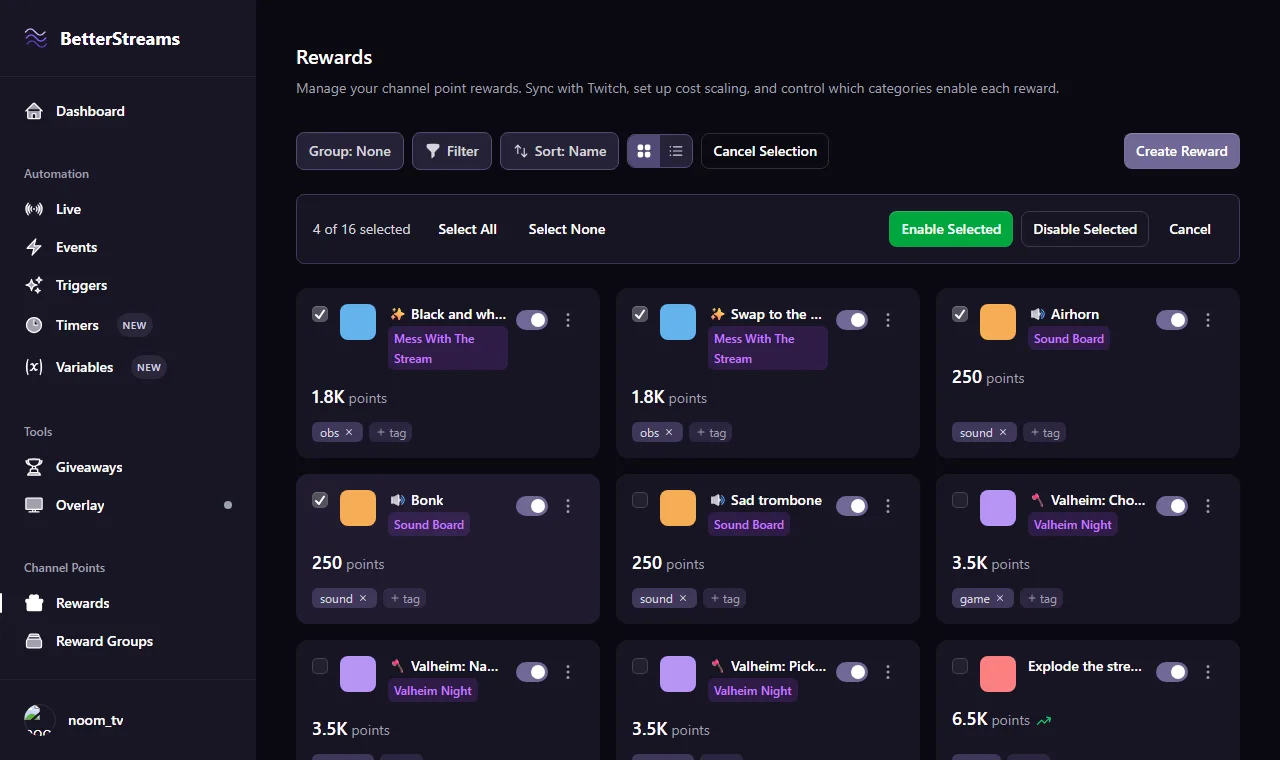
The whole list on one screen
Everything you've got sits in one flat list. Type three letters to find a reward, filter by tag to pull up every sound reward at once, then tick a dozen rows and toggle them all off before you go live. Twitch buries each reward several clicks into nested menus, with no search and no way to flip more than one at a time. The average channel here runs eighteen rewards.
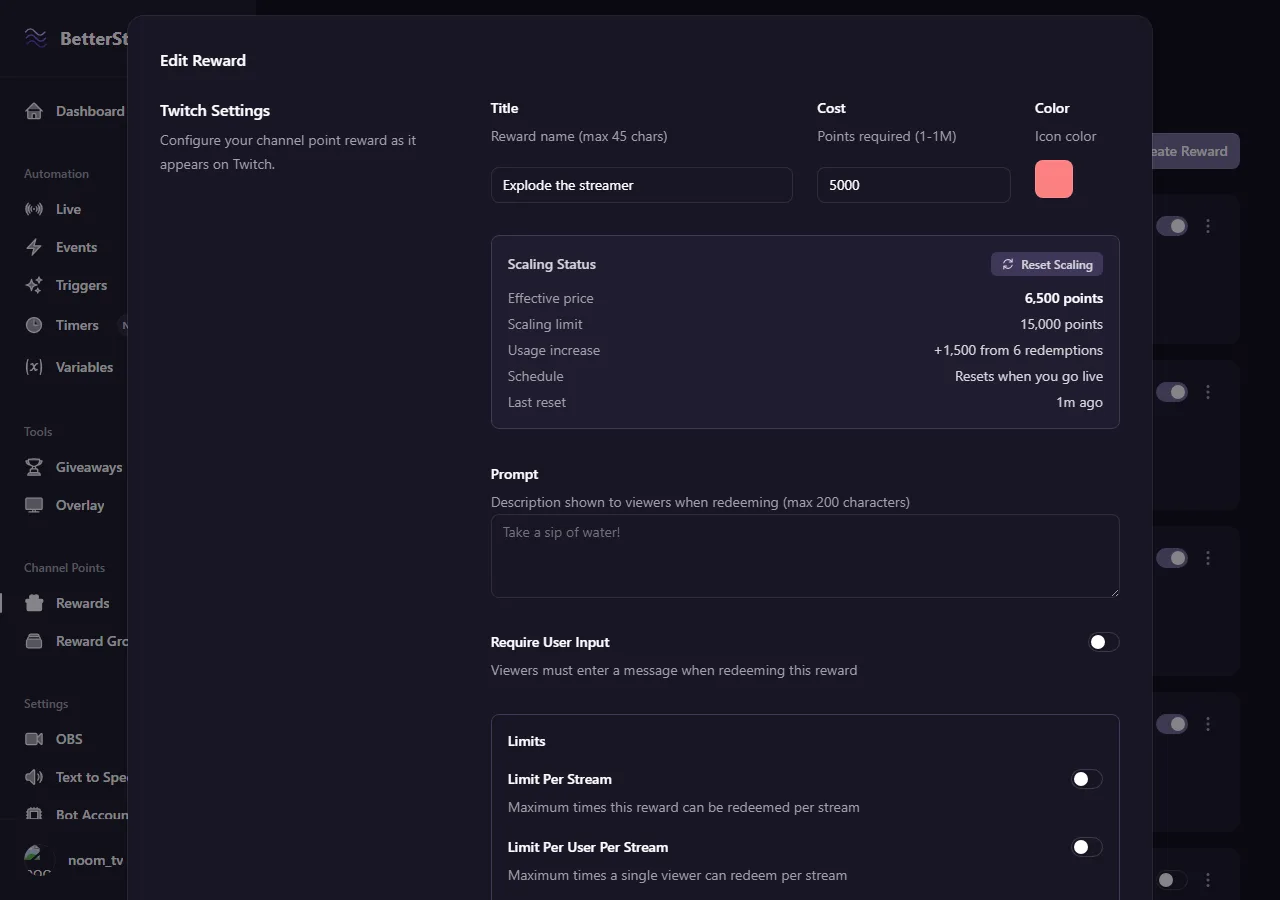
Prices that climb on their own
Points pile up every hour you're live and reward prices sit still, so a reward quietly gets cheaper in real terms every stream. Scaling moves it back. Usage-based raises the cost per redemption, linear or exponential. Time-based raises it per hour, day, week or month whether anyone redeems or not. Each axis carries its own ceiling, and resets run per stream or on a clock you set, in your own timezone.
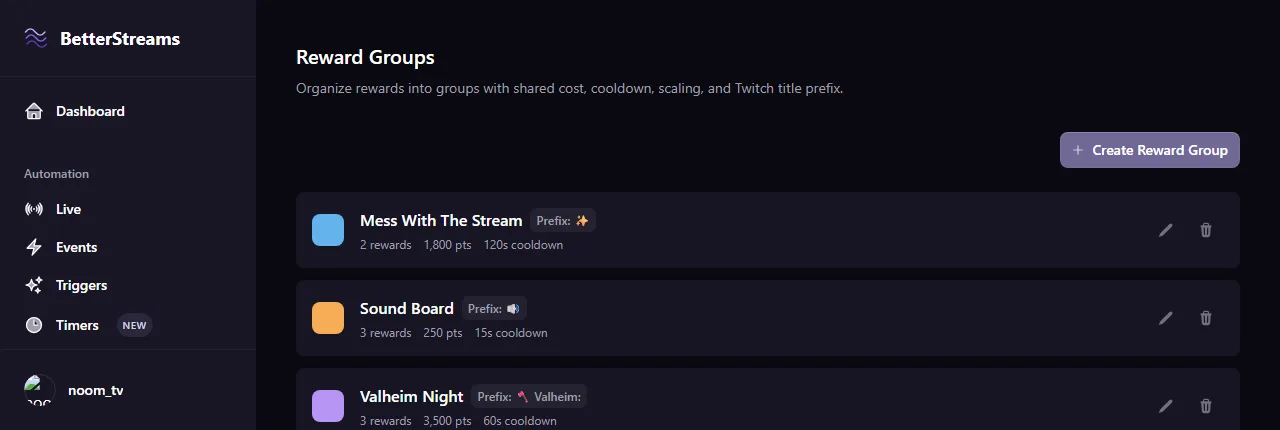
Rewards that travel together
Group the rewards that belong to one theme and set the cost, cooldown, colour and caps once for all of them. A prefix goes on every title in the group so chat reads them as a set. Attach a condition and they appear when a particular game or OBS scene does. Pull a reward out later and it's handed its own settings back, exactly as they were.
What you get free, and what Pro adds
Free
- Every reward you already have, synced into the dashboard automatically
- Search the list and filter it down to what you need
- Tags on your rewards, and sorting or filtering the list by those tags
- Bulk enable and disable by hand, as many rewards at once as you want
Pro
- Usage-based cost scaling, linear or exponential, with a maximum price
- Time-based cost scaling by hour, day, week or month, with its own maximum
- Conditions on a reward so it shows and hides itself by game or OBS scene
- Reward groups with shared cost, cooldown, colour, caps and a title prefix
- No betterstreams.tv suffix on the end of your reward descriptions
Questions & Answers
Is the rewards list free?
Yes, all of it. Every reward you have syncs in on its own, and you get search, filtering, tags and bulk enable and disable without paying anything. Two things sit behind Pro: cost scaling and reward groups.
What's the difference between sorting by tag and a reward group?
Tags are labels you put on rewards so you can sort and filter the list by them, and that's free. A reward group is a separate thing you create, with its own cost, cooldown, colour, caps and title prefix that apply to every reward inside it. Groups are Pro. If you only want to see your sound rewards together, tags do that for nothing.
Does cost scaling change the price my viewers see?
It does. Scaling moves the reward's actual cost, so the number on the button goes up as the reward gets used or as time passes. You set a maximum so it can't run away, and a reset schedule that puts it back to your base price at the start of each stream or on an hourly or daily clock in your own timezone.
What happens to a reward's settings when it joins a group?
They're saved and set aside, not overwritten. While the reward is in the group it follows the group's settings, and when you take it out its own cost, cooldown, colour and scaling come back the way you left them. A reward can be in one group at a time.
What's the betterstreams.tv on the end of my reward descriptions?
On the free tier we append a short suffix to the reward description Twitch shows your viewers. It costs 19 of Twitch's 200 characters, it's stripped back out in the dashboard so you never edit around it, and it's skipped entirely if it would push you over the limit. Pro removes it.
Do I lose anything if my Pro subscription lapses?
No. Your groups and your scaling settings stay exactly where they are, tags and all. We switch the Pro parts off until you subscribe again, and nothing gets deleted in the meantime.
Do I have to import my rewards first?
No. They come across on their own the first time you open the dashboard, and rewards you create here go out to Twitch the same way.
Guides that go deeper.
Every Channel Point Reward Fits One of Three Buckets
Most channel point advice is a pile of ideas. This is a sorting system instead. Three reward buckets, how many to start with, and a two-week test for whether a redeem is actually working.
July 4, 2026Twitch Gave Every Streamer Channel Points. Now What?
Twitch just gave every streamer channel points, no Affiliate required. What changed, the payout catch the community flagged, and a sane day-one setup.
May 26, 2026Do You Need a Chatbot if You Have Channel Points?
Do you need a chatbot if you have channel points? Channel points and chat commands solve different problems. Most streamers use both. A short guide to which one fits which job.
Put your rewards in one list
Sign in with Twitch and they're already there. The rewards screen is free and it stays free.