Set a timer once, run it every 30 minutes.
A timer counts. What happens when it reaches zero is up to the trigger you point at it, so the same 30 minute interval can post in chat, switch a scene, or start anything else you've built.
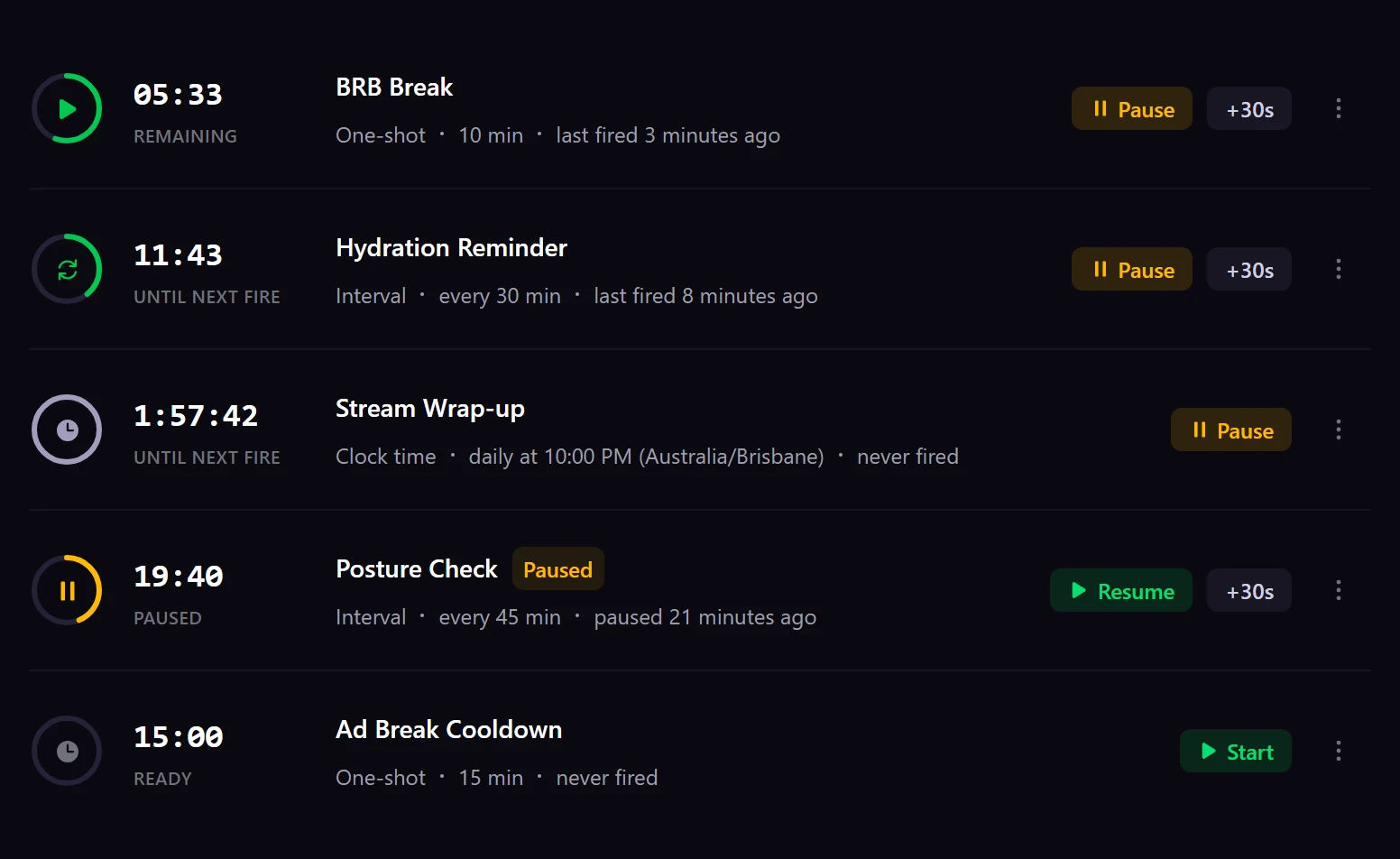
The first timer I made just sat there ticking. Nothing happened, and there wasn’t anything on that screen to suggest what came next.
On its own, a timer just counts. Everything in BetterStreams hangs off a trigger, and a trigger reads as when, if, then. A timer is one of the things that can fill the when. So you make the timer, then you build the trigger that’s listening for it.
Three ways a timer counts
| Mode | What it does | Plan |
|---|---|---|
| One-shot | Counts down once and stops | Free |
| Interval | Restarts itself, so “every 30 minutes” gets entered once | Free |
| Clock time | Fires at a time of day, carrying its own timezone | Pro |
Clock-time timers carry their own timezone, so you choose the zone that 10:00 PM refers to. It’s the full IANA list, which is how Australia/Brisbane ended up in the screenshot at the top of this page.
Four setups worth copying
A chat message every 30 minutes
The thing a chatbot does. Make an interval timer at 30 minutes. Build a trigger with Timer Fired as its when, attach that timer, and point it at an event that posts your message. You enter the 30 minutes once and then leave it alone.
A BRB timer for your break
A one-shot timer for however long you’ll be gone. Start it on your way out. The trigger waiting on it can switch your scene back and say something in chat when the time’s up.
A countdown that something reacts to
A countdown here is something your automations can wait on, not a number parked on your overlay. Drop a Create Timer action into an event, follow it with Wait for Timer, and everything after that holds until the count hits zero.
A redeem that starts the clock
Put a Create Timer action in the event a redeem runs, and the redeem starts the clock. Other actions can add to the time left, subtract from it, multiply it, or set it outright, so a later redeem can extend a timer that’s already going. A condition can check whether that timer is running before any of it fires. In Lethal Company that’s a redeem for 90 seconds without your flashlight, and chat can buy more darkness while it counts. The timer’s job is telling everyone when it’s over.
From a ticking timer to something happening.
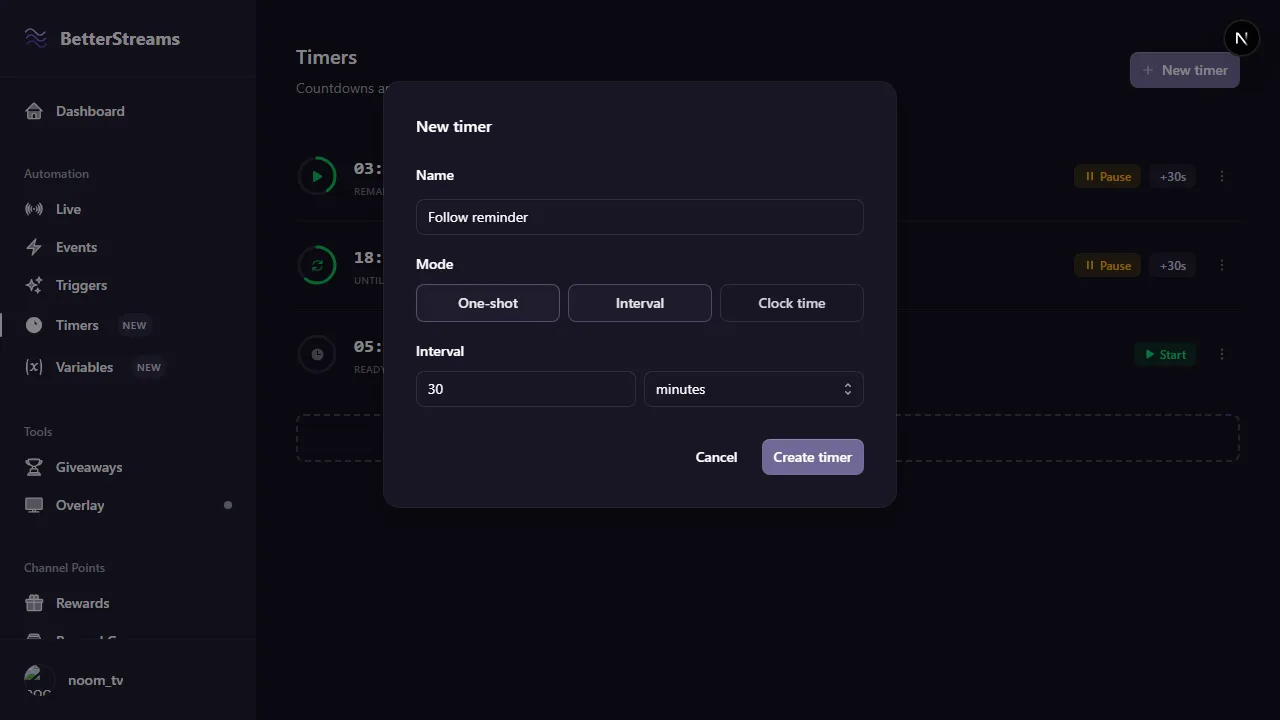
Make the timer
Name it, pick a mode, set the length. An interval of 30 minutes is a timer that restarts itself every 30 minutes for as long as it's enabled.
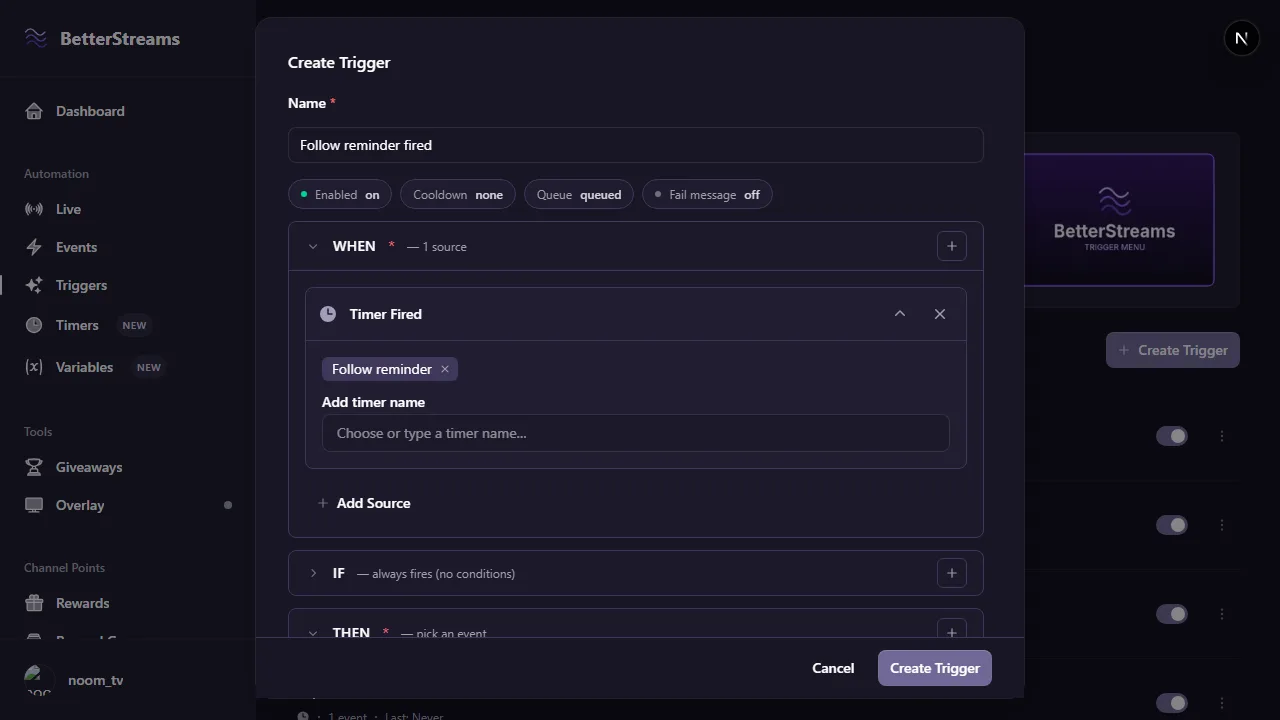
Point a trigger at it
In the trigger form, Timer Fired goes in the WHEN and you attach the timer by name. The IF is optional. The THEN is the event that runs.
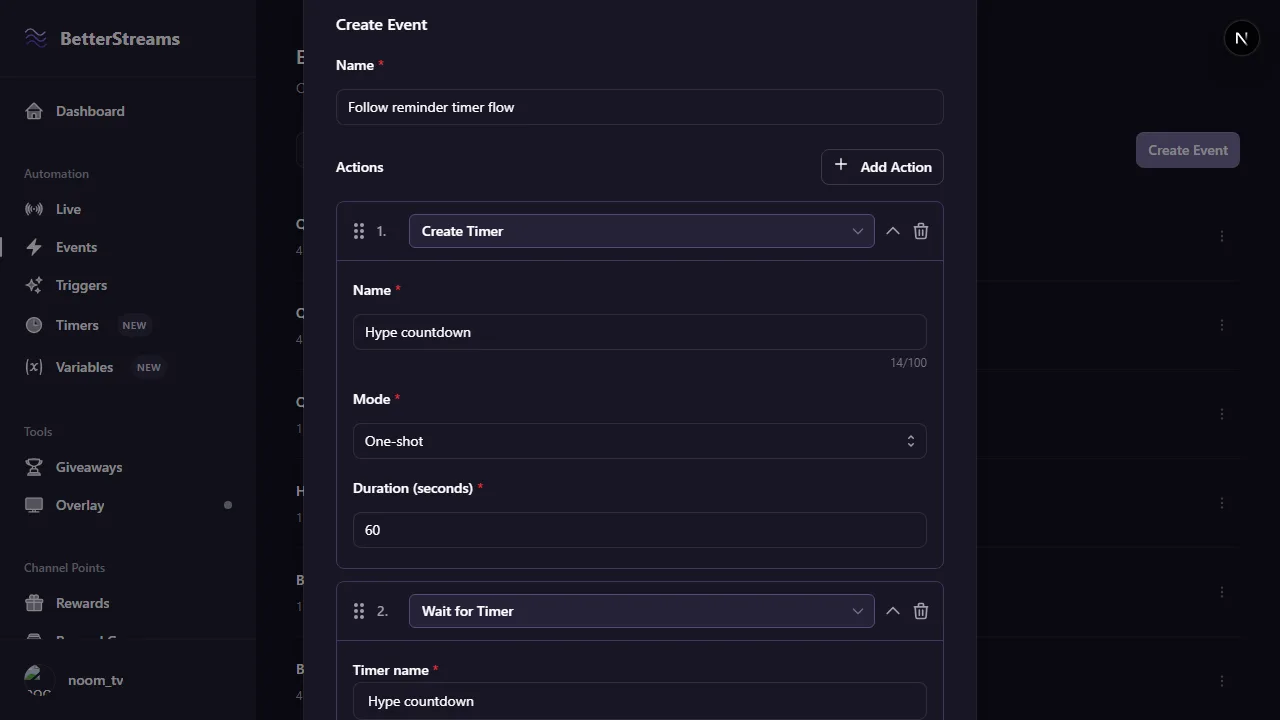
Or run a timer from inside an event
Events can make their own timers. A Create Timer action followed by a Wait for Timer action holds the rest of the event until that countdown is done.
Free covers all of this except clock time.
Free
- As many timers as you want, one-shot or interval
- Timers as a trigger source, so a timer can fire a trigger
- Create, cancel, adjust and wait for a timer from inside an event
- Run a step only while a named timer is running
- Waits that survive a closed tab, a server restart and you going to bed
Pro
- Clock-time timers that fire at a time of day in their own timezone
- More than one event on a single trigger, with failure handling
- More than three actions in a single event
Questions & Answers
I made a timer and nothing happened. What did I miss?
A timer only counts, so on its own it won't do anything at zero. Build a trigger with Timer Fired as its source, attach the timer by name, and point that trigger at an event. The timer is the WHEN and the event is the THEN.
Can I send a chat message every 30 minutes?
Yes. An interval timer set to 30 minutes, a trigger with Timer Fired as its source, and an event that posts your message. You enter the 30 minutes once and you're done.
Do timers still work if I close my dashboard?
A trigger parked on a Wait for Timer is stored on the server, so the wait survives a closed tab and a server restart. When the timer completes the server releases the chain and runs the rest of the actions itself, whether or not you're around.
Can a channel point redeem start a timer?
Yes. Put a Create Timer action in the event that redeem runs. Other actions can add to the time left, subtract from it, multiply it, or set it outright, so a later redeem can change a timer that's already running.
Which timer features need Pro?
Clock-time mode, which fires at a time of day in its own timezone. You don't need Pro for one-shot or interval timers, for timers firing triggers, for any of the four timer actions, or for the timer-running condition.
Guides that go deeper.
Automate Without Code: 4 Stream Automations Worth Building First (and the One Beginners Waste a Weekend On)
Most streamers who try to automate something bounce off the tools. The fix is picking a smaller first project. Four starter automations that ship fast and save attention every stream.
March 7, 2026What You Can Automate on Your Stream (and How to Get Started)
Stream automation handles the mechanical parts of streaming so you can focus on chat. Learn what you can automate, which tools exist, and where to start.
March 20, 2026How Many Streaming Apps Do You Actually Need?
Every Twitch streamer ends up running 3-5 apps that don't talk to each other. Here's what each layer of your stream actually needs, which tools cover it, what they cost, and where the overlaps are.
Set your first timer.
Sign in with Twitch and you'll have an interval timer posting in chat a couple of minutes later.